

Appearance
Integrations overview
Available onEvery plan
Who can do thisOwners and admins connect workspace tools. Each recruiter connects their own calendar.
ATS connections, webhooks, Zapier and Make are on Pro, Enterprise and the Pro trial. The public API is on Enterprise. Calendars, Slack and channel posts have no plan limit.
The Integrations page is where you connect your ATS, calendars, automation tools and messaging. Candidates come in from your ATS, and interview status, scores, report links and stage moves go back to it.
To open it: in the sidebar, click Settings, then Integrations.
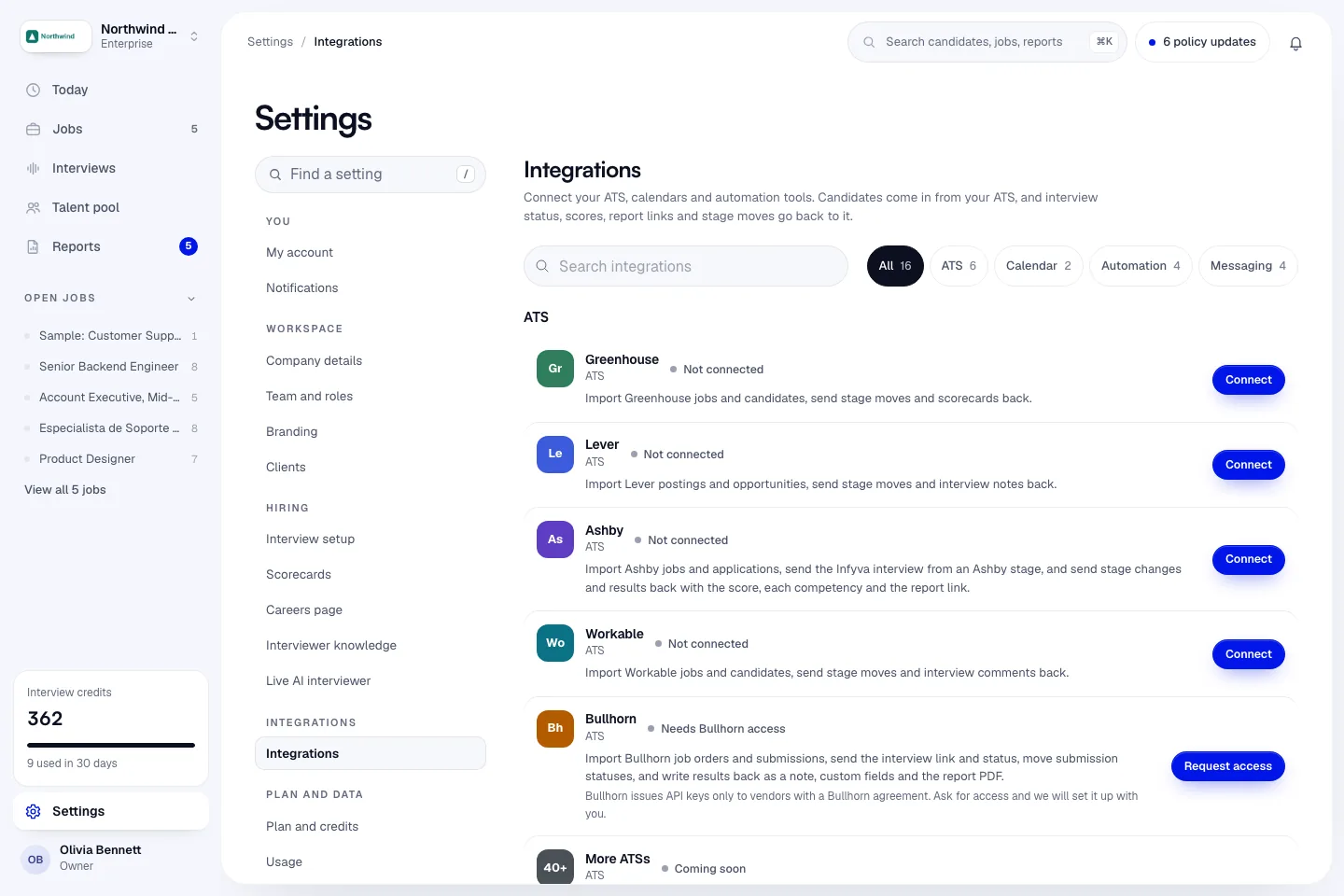
Find a tool
- Type in Search integrations to filter by name or description.
- Use the tabs All, ATS, Calendar, Automation and Messaging.
Each card shows a status on the right, such as Connected, Not connected, Reconnect needed or Coming soon. A card your plan doesn't include is greyed out, with a badge naming the plan that has it, such as Available on Pro, and a See plans link.
What is on the page
ATS
| Tool | What it does | Plan |
|---|---|---|
| Greenhouse | Import jobs and candidates. Stage moves and a scorecard go back. | Pro, Enterprise |
| Lever | Import postings and opportunities. Stage moves and interview notes go back. | Pro, Enterprise |
| Ashby | Import jobs and applications, send the interview from an Ashby stage. Stage changes and results go back. | Pro, Enterprise |
| Workable | Import jobs and candidates. Stage moves and interview comments go back. | Pro, Enterprise |
One connection per ATS covers your whole workspace. An owner or admin connects it; after that, everyone on the team can import jobs.
Calendar
| Tool | What it does | Plan |
|---|---|---|
| Google Calendar | Booking links skip your busy times, and scheduled interviews are added to and removed from your calendar. | Every plan |
| Microsoft Outlook | The same, for your Outlook calendar. | Every plan |
Each recruiter connects their own calendar.
Automation
| Tool | What it does | Plan |
|---|---|---|
| Zapier | Start a Zap when an interview is completed, a report is ready or a candidate changes stage. | Pro, Enterprise |
| Make | Run a Make scenario on the same events. | Pro, Enterprise |
| Webhooks | Signed HTTPS events for interviews, reports, stage changes and integrity flags. Failed deliveries are retried five times. | Pro, Enterprise |
| REST API | Create candidates, schedule interviews and read reports from your own systems with API keys. | Enterprise |
Messaging
| Tool | What it does | Plan |
|---|---|---|
| Slack | Look up candidates and today's interviews with /infyva from Slack. | Every plan |
| Text messages and WhatsApp | Interview links, reminders and booking links by text or WhatsApp. Infyva connects the line for your workspace: click Ask to connect on the card. Email invites work in the meantime. | Every plan |
| Slack and Teams channel posts | Post a candidate summary with Advance, Reject, Send back and View report links to a channel when a hiring manager has candidates to review. Set up per hiring manager inside a job. | Every plan |
What moves in each direction
| Direction | What |
|---|---|
| From your ATS to Infyva | Jobs, and for each imported job its candidates: name, email, phone, resume link, LinkedIn and GitHub links, location, stage and status. |
| From Infyva to your ATS | A note when an interview is scheduled, a note when it is completed, the score with a summary and report link when the report is ready (Ashby also gets the band, each competency and the integrity line), and stage moves that follow your stage mapping. |
| From Infyva to your tools | Webhook events: interview.completed, report.ready, candidate.stage_changed and flag.raised. |
| From your tools to Infyva | Public API calls (Enterprise): list jobs and candidates, add a candidate, schedule an interview, read interview status and report summaries. |
Infyva does not create jobs or candidates in your ATS. Write-back goes onto candidates that came from the ATS.
Other ATSs
The page can also show a More ATSs card and a Bullhorn card. These are not open to every workspace yet. More ATSs shows Coming soon until it is switched on. Bullhorn shows Needs Bullhorn access with a Request access button: Bullhorn gives API keys only to vendors with a signed Bullhorn agreement, and Infyva's is not active yet. Ask for access and we will email you when your workspace can connect.
GreenhouseHarvest key, job and stage mapping, scorecards.LeverAPI key, stage mapping, interview notes.AshbyAPI key, required webhook secret, results back.WorkableAccess token, member ID, comments.WebhooksSigned events to your own endpoint.Zapier and MakeTrigger Zaps and scenarios on Infyva events.Slack and Microsoft TeamsThe /infyva app and channel posts.Google and Outlook calendarsBusy times and interview events.Public APIAPI keys, scopes and limits.
Don't see your tool?
Any tool that accepts webhooks or calls an API can work with Infyva today through Zapier, Make or our webhooks. Tell us what you use at support@infyva.ai.